Frontend Overview
-
A beginner-friendly Frontend Overview covering how user interfaces are built using HTML, CSS, JavaScript, frameworks, and essential tools used in modern web development.
What is Frontend Development ?
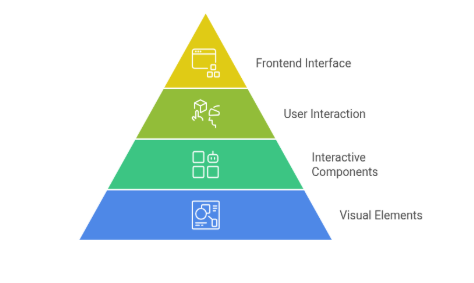
Frontend Development refers to the visual, interactive, and user-facing part of a website or web application.
It is everything that a user can see, touch, click, scroll, type , and interact with on their screen.
Whenever you open any website — like 📺 YouTube, 🛒 Amazon, 📸 Instagram, or 🔍 Google —the entire surface that appears in front of you is the frontend.
This includes:
🎨 Layout
🌈 Colors
🔘 Buttons
🖼️ Images
📂 Menus
📝 Forms
⭐ Icons
✨ Animations
🔤 Text
🎯 Why Frontend Development Exists
The goal of frontend development is to:
Create a clean and visually appealing interface
Make the website easy to use
Ensure smooth navigation
Make the website work on all devices
Provide an enjoyable user experience
📚 History of Frontend Development
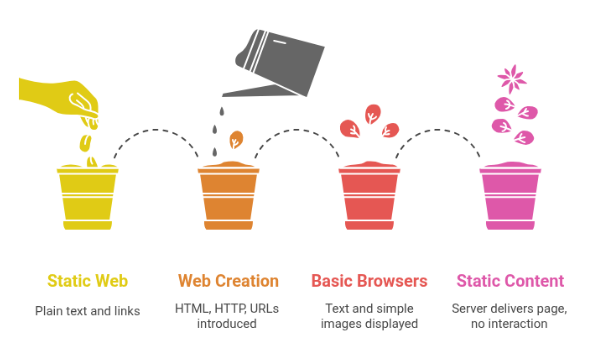
1. Early 1990s — static web
What happened
The World Wide Web was created (HTML + HTTP + URLs).
Pages were plain text and links. Browsers showed text and simple images.
All content was static: server delivered a page, browser displayed it, no interactive behavior.
Styling and scripting arrive (mid-1990s)
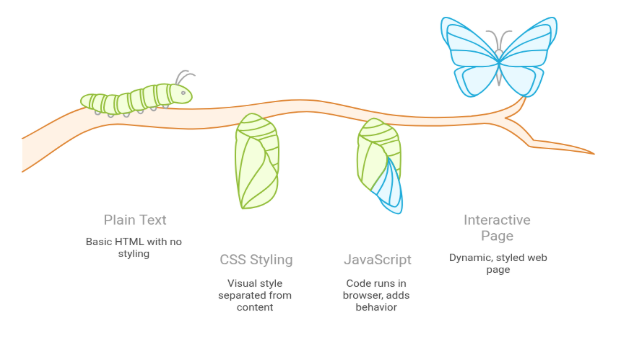
CSS (Cascading Style Sheets)
Introduced to separate visual style from content.
Allowed colors, fonts, spacing, and basic layout control.
JavaScript
Introduced to run code in the browser and add behavior (form checks, simple dynamic effects).
Early JavaScript was small but powerful: it made pages interactive.
Result
Pages could look different from plain text and respond to simple user actions.
Browser wars and inconsistent behavior (late 1990s)
What happened
Multiple browsers (Netscape, Internet Explorer, others) implemented features differently.
Developers faced cross-browser bugs and wrote many workarounds.
Consequence
The need for standards and the work of organizations like W3C to define common rules.
Web 2.0 – interactivity and richer experiences (2000s)
Key changes
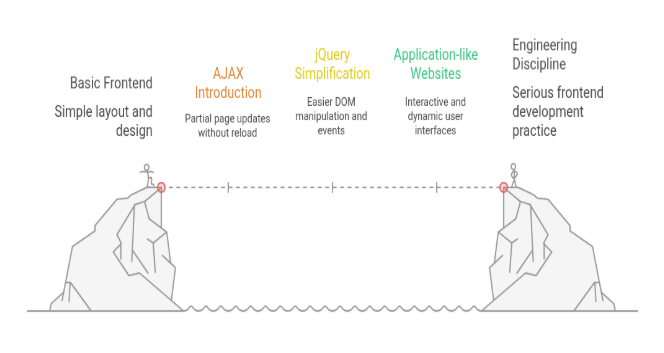
AJAX: allowed the browser to request data and update part of the page without reloading.
Libraries like jQuery simplified DOM access, events and cross-browser code.
Websites started to behave more like applications (email, maps, social feeds).
Why it mattered
User experience improved significantly (faster, smoother).
Frontend development became a serious engineering discipline, not just layout work.
HTML5, CSS3 and the mobile shift (2010s)
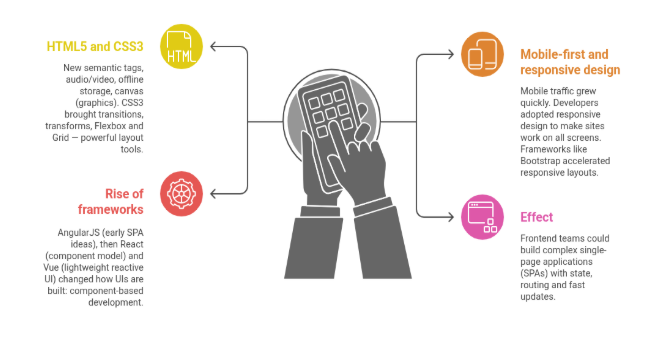
HTML5 and CSS3
New semantic tags, audio/video, offline storage, canvas (graphics).
CSS3 brought transitions, transforms, Flexbox and Grid — powerful layout tools.
Mobile-first and responsive design
Mobile traffic grew quickly. Developers adopted responsive design to make sites work on all screens.
Rise of frameworks
AngularJS (early SPA ideas), then React (component model) and Vue (lightweight reactive UI) changed how UIs are built: component-based development.
Effect
Frontend teams could build complex single-page applications (SPAs) with state, routing and fast updates.
Modern frontend: performance, server support, and new runtimes (late 2010s–2020s)
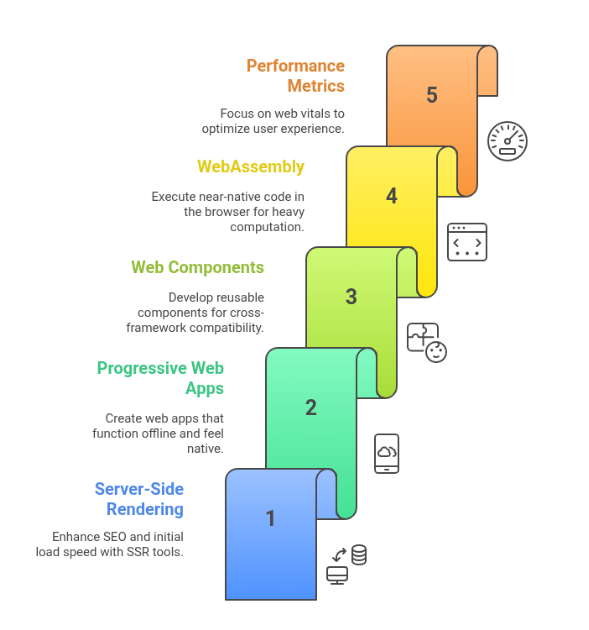
Server-side rendering (SSR) and static generation (SSG)
Tools like Next.js and Nuxt.js combine frontend frameworks with server-side rendering to improve SEO and first load speed.
Progressive Web Apps (PWAs)
Web apps that can work offline, send notifications, and feel like native apps.
Web Components and component standards
A browser-native way to create reusable components that work across frameworks.
WebAssembly
Run near-native code (C/C++, Rust) inside the browser for heavy computation.
Focus on performance & metrics
Web Vitals and performance budgets became central: time-to-first-paint, largest-contentful-paint, etc.
Emerging trends (2020s and onward)
Edge rendering and distributed compute.
AI-assisted design and code generation.
Low-code/no-code tools for building UIs faster.
Stronger emphasis on accessibility and privacy.
How history shaped today’s frontend work (big lessons)
Separation of concerns — HTML (structure), CSS (style), JS (behavior) remains a useful mental model.
Components are the unit of reuse and scaling.
Performance and accessibility are no longer optional; they are requirements.
Tooling is essential: bundlers, transpilers, linters, test runners.